Addendum 3 revised sheets M-101, M-102, and M-105. But what actually changed on each sheet?
Document revision comparison is one of the most time-consuming parts of estimating—and one of the riskiest to get wrong. A single missed equipment addition can cost more than your profit margin.
Here's how to build a revision control system that catches changes fast.
The Revision Control Problem
Most bid packages go through 2-5 addenda before bid day. Each addendum can revise:
- Individual drawing sheets
- Entire spec sections
- Equipment schedules
- General notes
- Details and diagrams
The documents themselves don't highlight what changed. You get a new version—figuring out the delta is your problem.
Example: A plumbing estimator received revised riser diagrams across three addenda. Each revision added fixtures to upper floors—changes that weren't clouded because they appeared in existing diagram areas. Total missed scope: 34 fixtures worth $28,000.
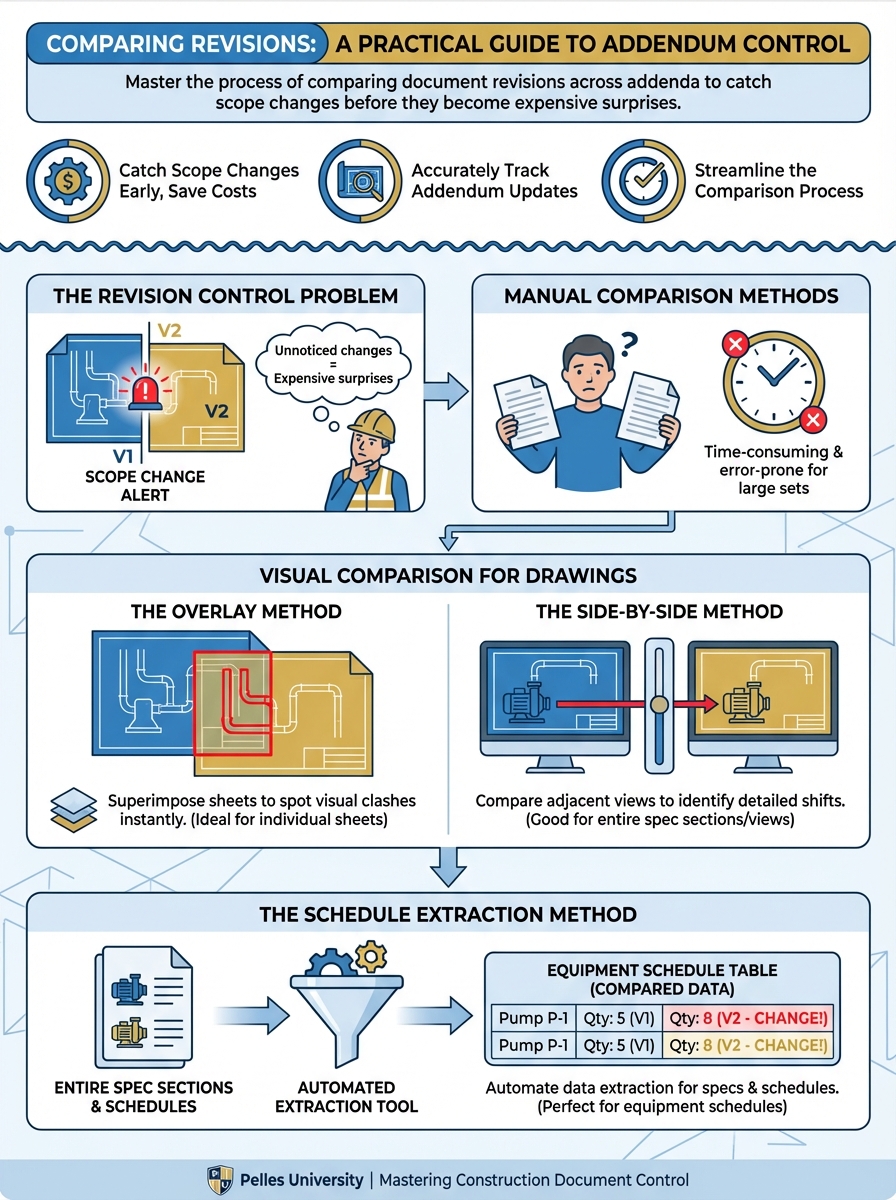
Manual Comparison Methods
When you don't have comparison software, these methods work:
The Overlay Method (for drawings)
- Print both versions at the same scale
- Hold up to a light source (window works)
- Look for differences in line work
Best for: Small changes on simple sheets Weakness: Time-consuming, easy to miss text changes
The Side-by-Side Method (for drawings)
- Open both versions on dual monitors
- Zoom to the same area
- Scan systematically across the sheet
Best for: Moderate changes when you know generally where to look Weakness: Still slow, easy to miss changes in areas you don't check
The Schedule Extraction Method
- Extract equipment schedules from both versions (screenshot or PDF table extraction)
- Paste into spreadsheet side by side
- Use conditional formatting to flag differences
Best for: Equipment and fixture schedules where quantities and sizes matter most Weakness: Doesn't catch routing or layout changes
The Section-by-Section Method (for specs)
- Copy spec text from both versions
- Use a text diff tool (many are free online)
- Review highlighted differences
Best for: Spec changes where exact language matters Weakness: Formatting differences can create false positives
Building a Revision Log
Don't rely on memory. Create a tracking document for every project:
| Sheet/Section | Original Date | Rev 1 (Add 1) | Rev 2 (Add 2) | Rev 3 (Add 3) | Impact Notes |
|---|---|---|---|---|---|
| M-101 | 10/15 | 10/22 | - | 11/01 | AHU-3 added |
| M-102 | 10/15 | - | 10/28 | - | Duct routing changed |
| 23 21 13 | 10/15 | 10/22 | - | - | VFD spec added |
This log tells you:
- Which documents have been revised
- How many times
- What the key changes were
When final bid is due, you can quickly verify you've processed every revision.
Using AI for Document Comparison
AI-assisted comparison can dramatically speed up revision control.
For Specifications:
I have two versions of Specification Section 23 21 13.

[Paste Version 1]

---

[Paste Version 2]

Compare these versions and provide:
1. A summary of what changed
2. Line-by-line differences
3. Any new requirements that affect equipment or labor
4. Deleted requirements we may have been carrying
For Equipment Schedules:
Compare these two equipment schedules.

Schedule 1 (Original):
[Paste schedule]

Schedule 2 (Revised):
[Paste schedule]

Identify:
1. Equipment added
2. Equipment removed
3. Size or capacity changes
4. New accessories or features
For Drawing Notes:
Extract general notes from both versions and compare:
Compare these general notes from drawing M-001.

Original notes:
[Paste notes]

Revised notes:
[Paste notes]

Flag any changes that affect scope, equipment, or installation requirements.
The Pre-Bid Revision Audit
Before submitting your bid, run this audit:
Step 1: Document Inventory
- List all addenda received with dates
- List all revised documents per addendum
- Confirm you have the latest version of each document
Step 2: Revision Log Review
- Every revised document has been logged
- Impact assessment completed for each revision
- Estimate updated for scope-affecting changes
Step 3: Schedule Cross-Check
- Equipment quantities match latest schedules
- Fixture counts match latest drawings
- Device counts match latest plans
Step 4: Spec Section Review
- All divisions in your scope have been checked for revisions
- New requirements captured in scope sheet
- Deleted requirements removed from estimate
Common Revision Comparison Mistakes
Mistake 1: Only Checking Clouded Areas
Clouds are courtesy, not guarantee. Changes outside clouds happen regularly, especially:
- Schedule updates
- General note modifications
- Detail revisions
Mistake 2: Assuming No Revision Means No Change
Sometimes documents get reissued without a revision number change. Check dates and file sizes if something seems off.
Mistake 3: Not Tracking What You Already Bid
When addenda arrive mid-estimate, it's easy to lose track of what was in your original takeoff. Keep your baseline documented.
Mistake 4: Rushing the Last Addendum
The addendum that arrives 24 hours before bid is the one most likely to contain scope changes—and the one most likely to get rushed review.
Setting Up for Success
Naming convention: Save every document version with a clear naming pattern:
M-101_Rev0_20241015.pdf
M-101_Rev1_20241022_Add1.pdf
M-101_Rev2_20241101_Add3.pdf
Folder structure:
Project Name/
├── 01_Original_Bid_Set/
├── 02_Addendum_1/
├── 03_Addendum_2/
├── 04_Addendum_3/
└── 05_Final_Bid_Set/
Revision log location: Keep your revision log in the project folder root where everyone can find it.
What's Next
Manual comparison works but doesn't scale. The next step is implementing comparison tools—whether PDF overlay software, AI-assisted analysis, or dedicated construction document comparison platforms—that can run automatically when new documents arrive.
TL;DR
- Addenda don't highlight what changed—finding the delta is your job
- Build a revision log tracking every document version across every addendum
- Manual methods work but are slow: overlay, side-by-side, schedule extraction
- AI can compare specs and schedules in seconds—use it to accelerate review
- Run a pre-bid revision audit to verify you've processed every change