The GC wants your submittal schedule by Friday. You have 47 spec sections to review.
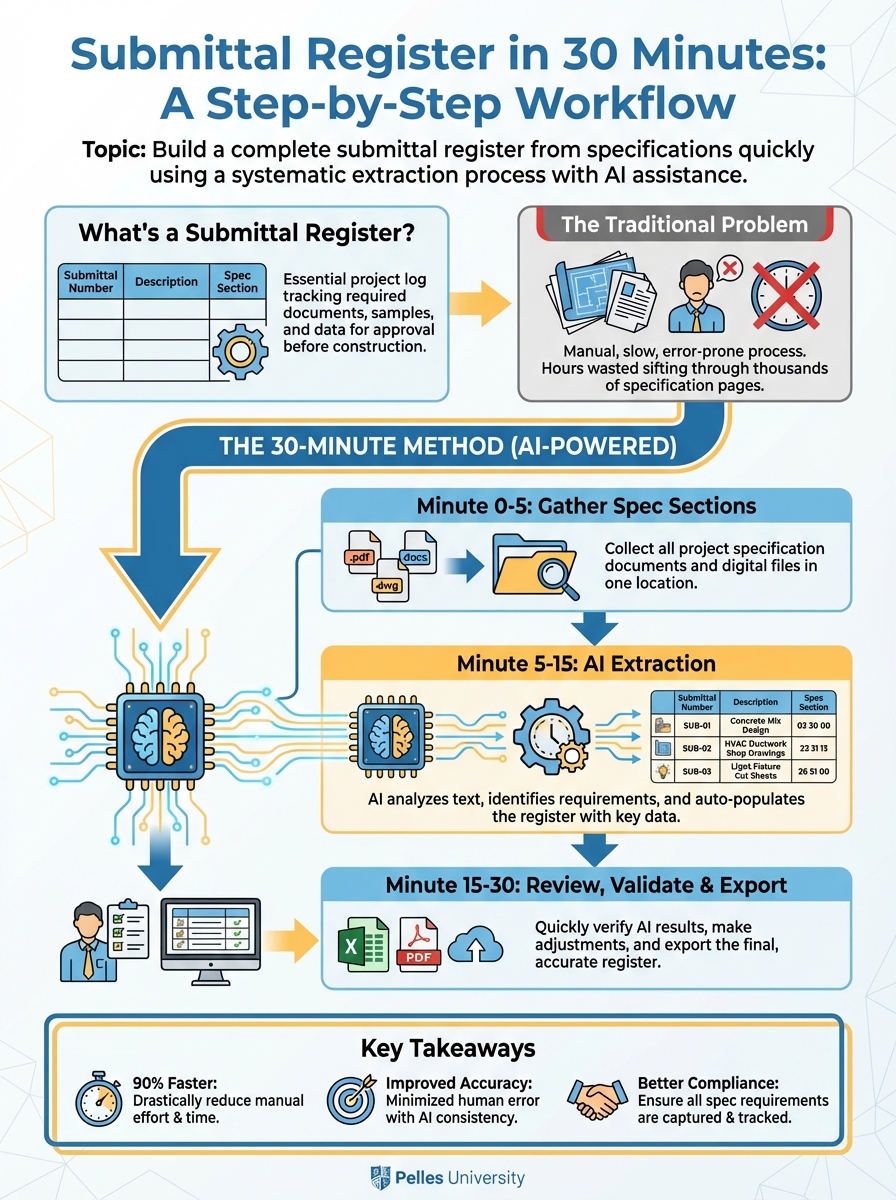
Building a submittal register shouldn't take days. With the right process, you can extract a complete list in about 30 minutes.
What's a Submittal Register?
A submittal register lists every submittal required by the contract, including:
- Submittal number
- Description
- Spec section
- Required timing
- Status
- Lead time impact
It's both a planning tool (what do we need to submit?) and a tracking tool (where are we in the process?).
The Traditional Problem
Most teams build submittal registers by:
- Reading every spec section
- Finding submittal paragraphs
- Manually typing each requirement
- Hoping they didn't miss anything
This takes hours and often misses requirements buried in execution sections.
The 30-Minute Method
Minute 0-5: Gather Spec Sections
Collect all spec sections for your scope. For MEP:
- Division 22 (Plumbing)
- Division 23 (HVAC)
- Division 26 (Electrical)
- Related sections (commissioning, controls, insulation)
Have PDFs ready or text extracted.
Minute 5-15: AI Extraction
Run each major section through AI:
Extract all submittal requirements from this specification section:

[Paste spec text]

For each submittal, provide:
1. Item description
2. Type (product data, shop drawing, sample, etc.)
3. Spec section reference
4. Any specific requirements mentioned

Format as a table I can paste into a spreadsheet.
Run this for each division. Combine the outputs.
Minute 15-25: Review and Organize
Clean up the extracted list:
Combine related items:
- "AHU product data" and "AHU shop drawings" might be one submittal package
Add project specifics:
- Connect generic "pump data" to specific schedule items (P-1, P-2, etc.)
Assign submittal numbers:
- Use a consistent system (by spec section or sequential)
Estimate lead times:
- Standard items: 1-2 weeks for approval
- Long-lead equipment: Note manufacturer lead time
Minute 25-30: Format and Finalize
Put into your standard template:
| Sub # | Description | Spec | Type | Lead Time | Due | Submit | Status |
|---|---|---|---|---|---|---|---|
| 23-001 | AHU-1,2 | 23 73 00 | PD+SD | 16 wk | 2/01 | - | Not Started |
| 23-002 | VAV Boxes | 23 36 00 | PD | 8 wk | 2/15 | - | Not Started |
| 23-003 | Ductwork | 23 31 13 | SD | - | 3/01 | - | Not Started |
The Submittal Register Template
Use these columns:
Identification:
- Submittal Number
- Revision (0, 1, 2, etc.)
- Description
- Spec Section
Requirements:
- Type (PD = Product Data, SD = Shop Drawing, SAM = Sample, CALC = Calculations)
- Division 01 reference (if additional requirements)
Timing:
- Equipment lead time (manufacturing)
- Required approval date (backed from install date)
- Actual submit date
- Approval date
Status:
- Status (Not Started, In Prep, Submitted, Approved, Approved as Noted, Revise/Resubmit)
- Notes
Sequencing by Lead Time
Not all submittals are equal. Prioritize based on:
Priority 1: Long-Lead Equipment (Submit Week 1-2)
- Custom AHUs (12-20 weeks)
- Chillers (16-24 weeks)
- Generators (20+ weeks)
- Custom switchgear (16-20 weeks)
Priority 2: Engineered Systems (Submit Week 2-4)
- Ductwork (for coordination)
- Piping systems
- Electrical distribution
Priority 3: Standard Equipment (Submit Week 3-6)
- Packaged equipment
- Pumps and motors
- Light fixtures
Priority 4: Finishing Items (Submit with Above)
- Diffusers and grilles
- Devices and trim
- Accessories
Connecting to the Schedule
Work backward from installation dates:
Install date: June 1
Equipment lead time: 12 weeks
Approval time: 2 weeks
Prep time: 1 week

Required submit date: February 15
If the schedule doesn't support this math, raise a flag early.
Common Submittal Register Mistakes
Mistake 1: Missing Section 01 33 00
Division 01 often has additional submittal requirements—format, number of copies, digital standards. Include in your register.
Mistake 2: Forgetting Closeout Submittals
O&M manuals, as-builts, and warranty documentation are submittals too. Add them to the register.
Mistake 3: One-and-Done
The register is a living document. Update status weekly. Add new submittals as they're identified.
Mistake 4: Not Tracking Resubmittals
When a submittal is rejected, increment the revision number and track the resubmittal separately.
Using the Register Daily
Weekly review:
- What's due this week?
- What's overdue?
- What's blocking long-lead releases?
Coordination meeting prep:
- Which submittals are we waiting on from the engineer?
- What's been approved that we can release for fabrication?
Schedule updates:
- If submittals are delayed, what's the install date impact?
- Do we need to escalate?
Using AI to Maintain the Register
When new specs or addenda arrive:
Compare this updated specification to the previous version.
Identify any new submittal requirements or changes to existing requirements.

[Paste old spec]
[Paste new spec]

List additions, deletions, and modifications.
This keeps your register current as documents evolve.
What's Next
A complete register is step one. The next step is integrating it with your project schedule—so submittal dates drive procurement dates and install dates automatically.
TL;DR
- A submittal register can be built in 30 minutes using AI extraction from spec sections
- Prioritize by lead time—long-lead equipment submittals go first
- Work backward from install dates to set submit deadlines
- Track status weekly and update for resubmittals
- Don't forget Division 01 requirements and closeout submittals