Submittals rejected. Resubmit with additional information.
That note costs you two weeks. Maybe more if the equipment is long-lead.
Building complete submittals the first time is a skill. Here's how to develop it.
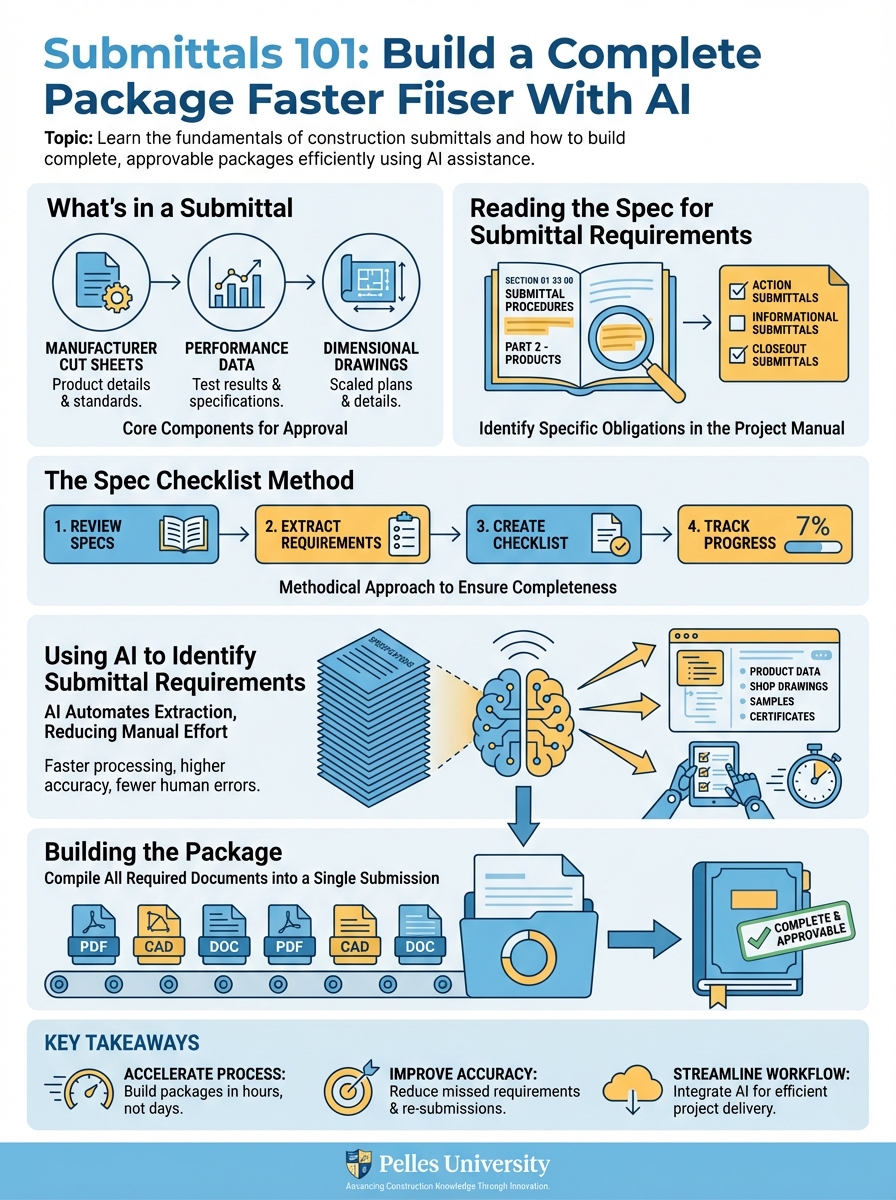
What's in a Submittal
A complete submittal package typically includes:
Product data:
- Manufacturer cut sheets
- Performance data
- Dimensional drawings
- Wiring diagrams (if applicable)
Shop drawings:
- Custom fabrication details
- Layout and coordination drawings
- Piping or duct routing details
Samples:
- Physical material samples when required
- Color selections
- Finish samples
Calculations:
- Equipment sizing
- Pressure drop calculations
- Structural load calculations
Certifications:
- Code compliance letters
- Test reports
- Third-party certifications
Not every submittal needs every element. The spec tells you what's required.
Reading the Spec for Submittal Requirements
Every spec section has a submittal paragraph. Usually in Part 1 (General).
Example spec language: "Submit product data including rated capacities, weights, dimensions, required clearances, and electrical characteristics. Include wiring diagrams and installation instructions."
This tells you exactly what the reviewer will look for. If it's not in your package, expect rejection.
The Spec Checklist Method
For each submittal, create a checklist from spec requirements:
| Requirement | Included | Page/Location |
|---|---|---|
| Rated capacities | ✓ | Page 3 |
| Weights | ✓ | Page 4 |
| Dimensions | ✓ | Page 2 |
| Required clearances | ✓ | Page 5 |
| Electrical characteristics | ✓ | Page 8 |
| Wiring diagrams | ✓ | Pages 10-12 |
| Installation instructions | ✓ | Attached |
This becomes your internal QC before sending.
Using AI to Identify Submittal Requirements
Feed spec sections into AI:
Review this specification section and list all submittal requirements:

[Paste spec section]

For each requirement:
1. What must be submitted
2. Format or specific information needed
3. Any referenced standards to address

Organize as a checklist I can use to verify completeness.
This extracts requirements faster than reading dense spec language.
Building the Package
Step 1: Gather Raw Materials
Collect from manufacturers:
- Current product data sheets (not outdated versions)
- Selection software output (if applicable)
- Technical cut sheets
- Wiring and dimensional drawings
Step 2: Mark Up for Compliance
On each data sheet, indicate:
- Model number being submitted (highlight or circle)
- Performance points that meet spec (highlight relevant cells)
- Options included (check boxes or circle)
Reviewers shouldn't have to search. Make it obvious.
Step 3: Add Cover Sheet
Every submittal needs a cover sheet with:
- Project name and number
- Submittal number and description
- Spec section reference
- Revision number (if resubmittal)
- Date
- Contractor information
Step 4: Create Transmittal
List everything in the package:
- Number of sheets
- Description of each item
- Number of copies (if hard copy)
Step 5: Cross-Reference to Schedule
Connect your submittal to the spec-required equipment:
- "AHU-1 per Schedule M-201"
- "Pump P-1A per Schedule P-101"
This helps the reviewer verify you're submitting the right thing.
Common Rejection Reasons
Rejection 1: Missing Performance Data
The cut sheet shows the product, but not the specific performance data the spec requires (CFM, GPM, efficiency, etc.).
Fix: Include selection software output with highlighted operating point.
Rejection 2: Wrong Model
You submitted a similar model, but not the exact one specified. Or you submitted an "or equal" without the required substitution request.
Fix: Verify model numbers match schedules. If substituting, follow the substitution process first.
Rejection 3: Incomplete Electrical Information
Electrical data is missing or doesn't match project power availability.
Fix: Include full electrical data. Verify voltage and phase match project requirements.
Rejection 4: Missing Shop Drawings
Spec required shop drawings, but you only sent cut sheets.
Fix: Read the spec carefully. "Shop drawings" and "product data" are different requirements.
Rejection 5: Outdated Data
You submitted a data sheet from 2019. The product has been updated.
Fix: Get current data from manufacturer. Add date stamp to your files.
Submittal Review Before Sending
Use this checklist:
Completeness:
- All spec requirements addressed
- All schedule items covered
- Supporting calculations included (if required)
Accuracy:
- Model numbers match schedules
- Performance matches spec requirements
- Electrical matches project power
Format:
- Cover sheet included
- Transmittal complete
- Items marked up and highlighted
- Pages numbered
- Revision number accurate
Logistics:
- Submittal number assigned per log
- Correct number of copies
- Delivery method confirmed
Tracking Submittal Status
Build a submittal log:
| Sub # | Description | Spec | Submitted | Status | Notes |
|---|---|---|---|---|---|
| 23-001 | AHU-1,2 | 23 73 00 | 1/15 | Approved as Noted | Order released |
| 23-002 | VAV Boxes | 23 36 00 | 1/18 | Revise/Resubmit | Missing sound data |
| 23-003 | Ductwork | 23 31 13 | Pending | - | In prep |
Update this weekly. It's your visibility into the approval pipeline.
What's Next
Individual submittal quality matters, but so does the overall submittal process. The next step is building a submittal register that tracks everything required—so you know what's coming before it's due.
TL;DR
- Read the spec for exact submittal requirements—that's what the reviewer checks
- Mark up product data to show compliance—don't make reviewers search
- Include cover sheets, transmittals, and cross-references to schedules
- Common rejections: missing performance data, wrong model, incomplete electrical, outdated data
- Use a checklist before sending and a log to track status