Everyone's talking about AI. Your GC mentions it. Software vendors promise it. But what actually is it, and why should you care?
Here's the no-nonsense explanation.
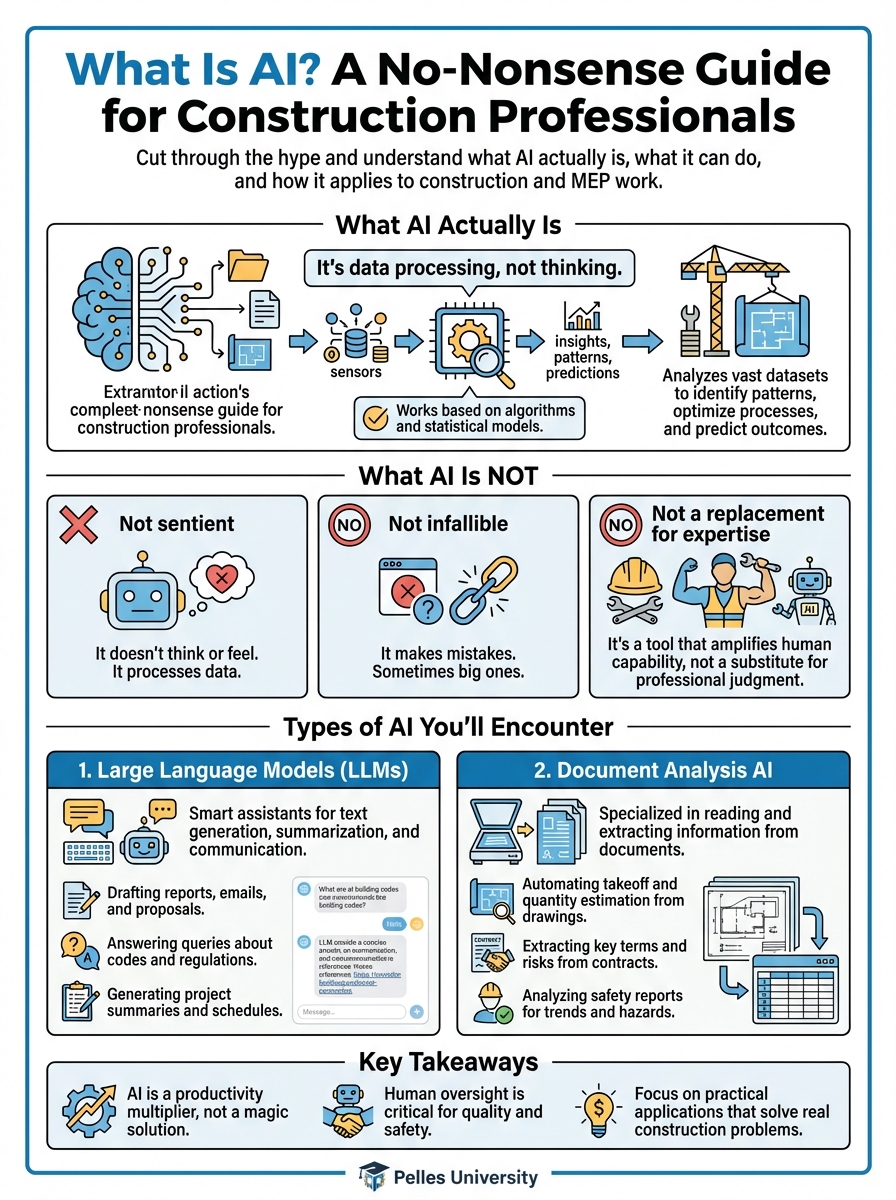
What AI Actually Is
Artificial Intelligence (AI) is software that can perform tasks that traditionally required human thinking. That's it.
It's not magic. It's not a robot. It's software that's been trained to recognize patterns and make decisions based on those patterns.
What AI Is NOT
- Not sentient: It doesn't think or feel. It processes data.
- Not infallible: It makes mistakes. Sometimes big ones.
- Not a replacement for expertise: It's a tool that amplifies human capability.
- Not one thing: "AI" covers many different technologies with different capabilities.
Types of AI You'll Encounter
1. Large Language Models (LLMs)
This is what most people mean when they say "AI" today. Think ChatGPT, Claude, or similar tools.
What they do: Process and generate text. Answer questions. Summarize documents. Write content.
Construction use cases:
- Reviewing specifications for requirements
- Drafting RFIs and change order narratives
- Summarizing meeting notes
- Answering questions about project documents
Limitations:
- Can "hallucinate" (make things up confidently)
- Knowledge has a cutoff date
- Don't actually "understand" in the human sense
2. Document Analysis AI
Specialized AI for understanding documents, extracting information, and finding patterns.
What they do: Read PDFs, extract data, compare documents, identify specific content.
Construction use cases:
- Extracting submittal requirements from specs
- Comparing drawing revisions
- Finding specific clauses in contracts
- Identifying scope gaps
3. Computer Vision
AI that can "see" and interpret images.
What they do: Analyze photos and drawings, identify objects, detect anomalies.
Construction use cases:
- Progress monitoring from site photos
- Safety compliance checking
- Quality inspection assistance
- Drawing interpretation
4. Predictive Analytics
AI that identifies patterns to predict future outcomes.
What they do: Analyze historical data to forecast results.
Construction use cases:
- Schedule risk prediction
- Cost forecasting
- Resource optimization
- Maintenance prediction
How AI Actually Works (Simple Version)
Training
AI systems learn from examples. Lots of examples.
A language model might be trained on:
- Millions of documents
- Books, articles, websites
- Code, specifications, contracts
Through this training, it learns patterns: how words relate to each other, what typically follows what, how different concepts connect.
Inference
When you use AI, you're asking it to apply those learned patterns to your specific input.
You give it: A specification section It applies: Everything it learned about specifications, requirements, language patterns You get: An answer based on pattern matching
Why This Matters
Understanding that AI works through pattern matching explains both its power and its limitations:
Power: It can quickly process and relate information across massive amounts of data.
Limitation: It can only work with patterns it's seen. Truly novel situations may confuse it.
What AI Can Do Well
Speed Up Repetitive Reading
Humans are slow readers. AI isn't. Tasks that require reading and extracting information from documents are a natural fit.
Example: Finding all submittal requirements across 500 pages of specifications.
Find Information Across Documents
AI can search and correlate information across multiple documents simultaneously.
Example: "What are all the testing requirements for this project?" across specs, drawings, and contracts.
Draft First Versions
AI can create reasonable first drafts that humans then refine.
Example: Draft RFI based on field observation and spec reference.
Explain Complex Content
AI can break down complex content into simpler explanations.
Example: "Explain this contract clause in plain English."
Check for Consistency
AI can compare documents and flag inconsistencies.
Example: Does my scope match the specification requirements?
What AI Cannot Do Well
Make Judgment Calls
AI lacks the experience and context to make the nuanced judgments that experienced professionals make.
Don't trust AI to: Decide whether to bid a job, determine if a price is fair, or assess relationship dynamics.
Guarantee Accuracy
AI outputs always need human verification. It can be confidently wrong.
Always: Verify critical information against source documents.
Replace Expertise
AI is a force multiplier for existing expertise. It doesn't create expertise where none exists.
Reality: A junior estimator with AI is still a junior estimator. AI helps experienced people work faster.
Handle Novel Situations
AI works by pattern matching. Truly unprecedented situations may produce poor results.
When: Something is unusual or unique, increase your verification.
Practical AI Rules for Construction
Rule 1: Verify Everything
AI outputs should be treated as drafts, not final products. Always verify against source documents.
Rule 2: Better Questions Get Better Answers
Vague questions get vague answers. Specific, well-structured questions get useful responses.
Vague: "Tell me about this spec" Specific: "What are the submittal requirements in Section 23 73 00, organized by type?"
Rule 3: Provide Context
AI works better when you give it context about what you're trying to accomplish.
Without context: "Review this document" With context: "Review this specification section and identify any requirements that exceed standard practice for an MEP subcontractor"
Rule 4: Know the Limits
Don't use AI for tasks where it's likely to fail. Legal interpretation, safety-critical decisions, and novel situations need human judgment.
Rule 5: Start Small
Begin with low-risk, high-volume tasks. Build confidence before tackling critical workflows.
Getting Started
Step 1: Identify Repetitive Tasks
What tasks do you or your team do repeatedly that involve reading, extracting, or summarizing information?
Step 2: Try One Task
Pick one task and try using AI to assist. Not replace—assist.
Step 3: Compare Results
How does the AI output compare to doing it manually? Faster? Same quality? Better?
Step 4: Refine Your Approach
If it works, optimize. If it doesn't, try a different task.
Step 5: Expand Gradually
Build on success. Add more use cases over time.
What's Next
Understanding what AI is sets the foundation. The next step is learning how to write effective prompts—the skill that separates useful AI outputs from useless ones.
TL;DR
- AI is software that performs tasks requiring pattern recognition—not magic, not sentient
- Most AI you'll use is language models (like ChatGPT) that process text
- AI excels at speed: reading, finding, summarizing, drafting
- AI fails at judgment: decisions, guarantees, replacing expertise
- Always verify AI outputs against source documents
- Start with low-risk, repetitive tasks and expand from there